KEIBIDROP 0.5.0, a new website and 1,000 downloads
KEIBIDROP 0.5.0 is out, and keibidrop.com has a new home page. KEIBIDROP connects your computers directly: you open a file on the other machine as if it were on this one, or you send it over, with no cloud upload and no account. 0.5.0 brings a new desktop design, better connections and file sharing on Mac, Windows and Linux, and the AGPL-3.0 license. This week the downloads on GitHub passed 1,000.
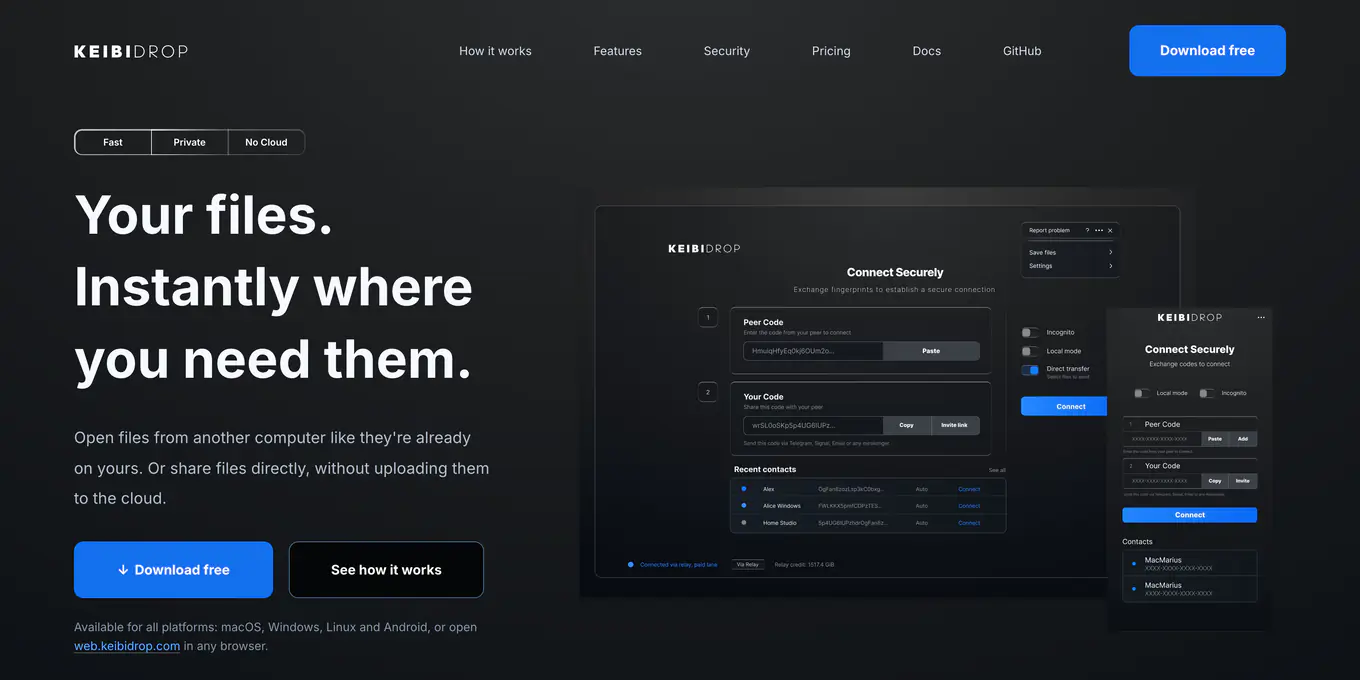
Ever needed a file that sits on another computer? The desktop at home, the office PC, a friend's laptop. Usually you email it to yourself, upload it to a cloud drive and wait, or look for a USB stick. KEIBIDROP skips all of that. It connects your computers directly, so you can open a file on the other machine as if it were on this one, or send it straight over. No cloud upload, no account.
Open files on the other computer
Install KEIBIDROP on both computers and connect them with a code. The other computer's shared folder then shows up on yours, like any other folder. Double-click a file and it opens in the app you already use. KEIBIDROP fetches only the parts of the file you open, so you can start working with a big video or a project folder right away. Save your changes and they go back to the other computer.
Or send a copy
Drop a file or a whole folder in and it goes directly to the other computer. Nothing is uploaded anywhere first, there is no size limit, and if the connection drops, the transfer continues where it stopped.
Across any network
Same desk, same office or different countries. KEIBIDROP connects the two machines directly when the network allows it. When a router blocks that, a relay passes the traffic along, still encrypted, so the relay cannot read your files.
Private by design
Everything between the two computers is end-to-end encrypted, with a mix of classic and post-quantum cryptography. Your files are never stored on a server in between, and there is no account that knows what you share.
On every device you have
macOS, Windows, Linux and Android. On a computer where you cannot install anything, open web.keibidrop.com in the browser and connect from there. A NAS or home server can run it in a container. The app is free and open source under AGPL-3.0.
Changes in 0.5.0
- A new desktop design, with help in plain words. The app also uses less CPU.
- The folder mode is now called Teleport.
- Editing the same big file together moves only what changed.
- Windows Explorer shows your friend's changes without a refresh.
- A save interrupted by a dropped connection no longer damages the file, and a lost connection comes back to the same friend.
The full list is in the release notes. Update both computers.
The new website
The home page now shows in a few lines what the app does, the three steps to connect two computers, and every download in one place. The technical overview that used to be the home page is still there, at keibidrop.com/tech.html, with the comparison table and the videos.
Get it
| Platform | How |
|---|---|
| macOS 12 or later | DMG for Apple Silicon or Intel, signed and notarized by Apple. Or brew tap keibisoft/keibidrop and brew install keibidrop. |
| Windows 10 or later | ZIP, signed by KEIBISOFT S.R.L. Or choco install keibidrop. |
| Linux | The .deb for Debian and Ubuntu, or the tar.gz. |
| Android | F-Droid. |
| Any browser | web.keibidrop.com. |
| NAS or home server | The container ghcr.io/keibisoft/keibidrop, see Run on a NAS. |
Every download is on the home page and in the install guide.
Limits. There is no iOS app; on an iPhone or iPad, use web.keibidrop.com. Opening files in place, in the Teleport Folder, needs a file system driver on that computer: macFUSE on a Mac, WinFsp on Windows. Sending files works without it.
Thank you to everyone who installed it, reported a bug or sent feedback from the app.
Related: Release notes · How to use it · Technical overview